← Back to portfolio Microsoft 365 · Rapid Prototyping

Microsoft Training Prototypes

Clickable rapid prototypes of Microsoft 365 training, built so clients can try every lesson and confirm the direction before development in Articulate. Each one opens in a new tab and uses a fictional organization name.

Software Adoption Rapid Prototyping Articulate Rise Articulate Storyline Scenario-Based Learning

The prototypes

Three courses, five versions. Copilot in Excel was prototyped in Rise and Storyline styles so the client could compare formats, and rebuilt in Mindsmith as an AI authoring experiment.

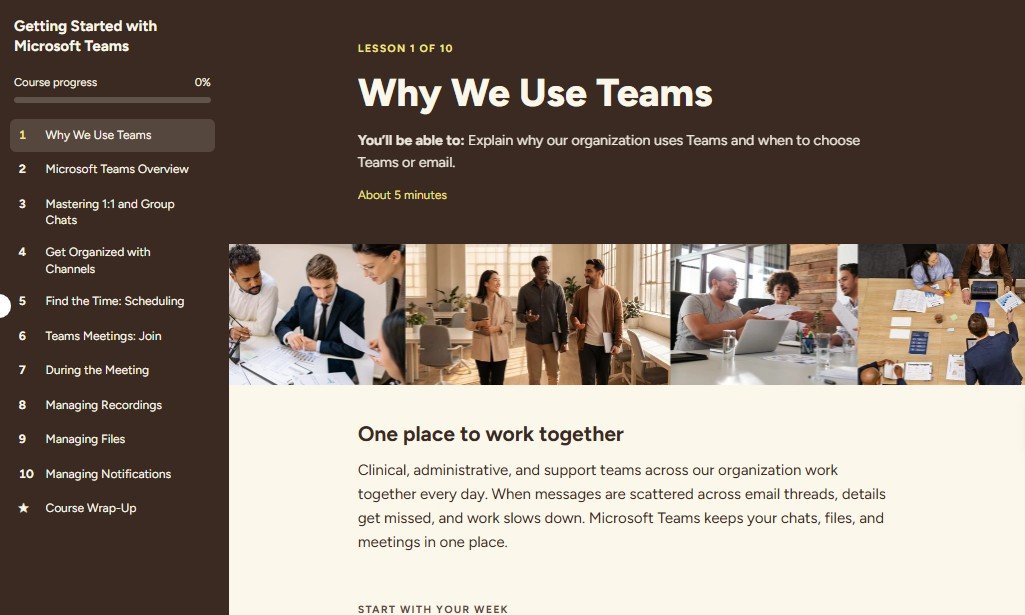
Getting Started with Microsoft Teams prototype showing the lesson menu and Lesson 1, Why We Use Teams
Microsoft Teams · Rise-Style

Getting Started with Microsoft Teams

A 10-lesson course that moves employees from long email chains to Teams, with Maria's scenarios, a labeled tour of the Teams screen, and knowledge checks.

Scenarios Labeled Graphics Knowledge Checks
Open prototype → View case study →
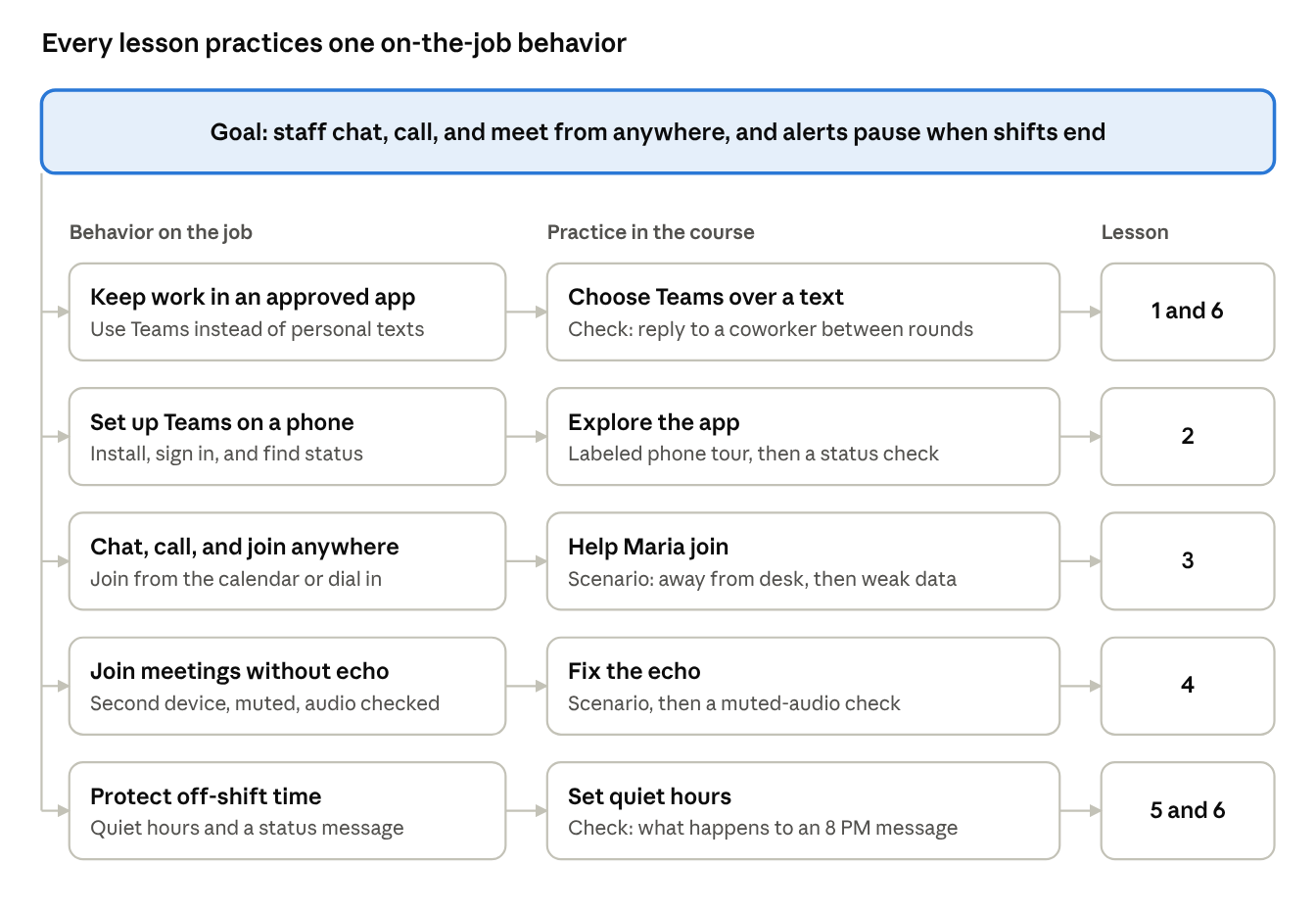
Action map linking the Teams Mobile course goal to five on-the-job behaviors, practice activities, and lessons
Microsoft Teams · Rise-Style

Teams Mobile: Connected, Not Tethered

Six lessons on chatting, calling, and joining meetings from a phone, each paired with a boundary like quiet hours. Built from an Action Mapping framework.

Action Mapping Phone Tours Scenarios
Open prototype → View case study →
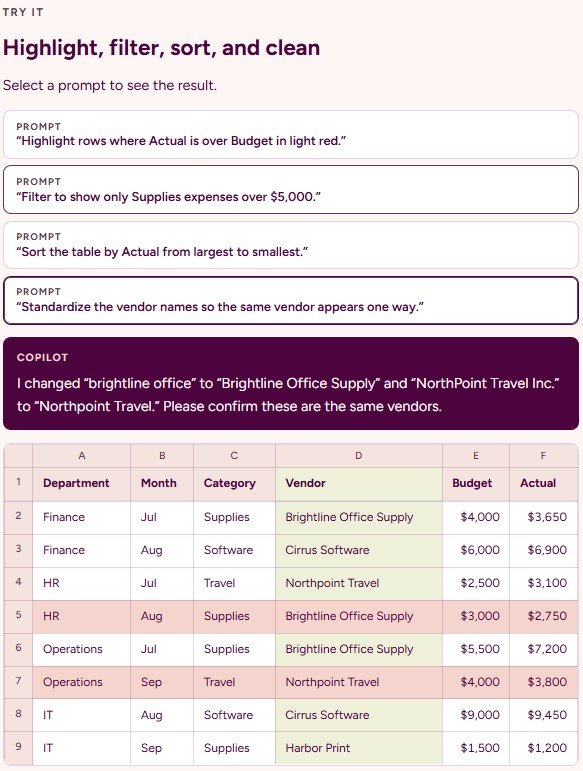
Copilot in Excel Rise prototype: prompts to highlight, filter, and clean data, Copilot's reply, and the updated budget table
Copilot in Excel · Rise, Storyline & Mindsmith

Copilot in Excel: Prompt It,
Prove It

Lessons that teach staff to prompt Copilot for formulas, analysis, and charts, then verify every result. Try three versions: scrolling Rise lessons, slide-based Storyline practice in a simulated workbook, and an AI authoring experiment built in Mindsmith from my outline.

AI Literacy Simulated Practice AI Authoring
Rise prototype → Storyline prototype → Mindsmith version → View case study →